

Share a project with a link
The Deling (Sharing) tab lets you give external people — clients, partners — read-only access to a project overview without needing an Optiro account.
1. Configure the link
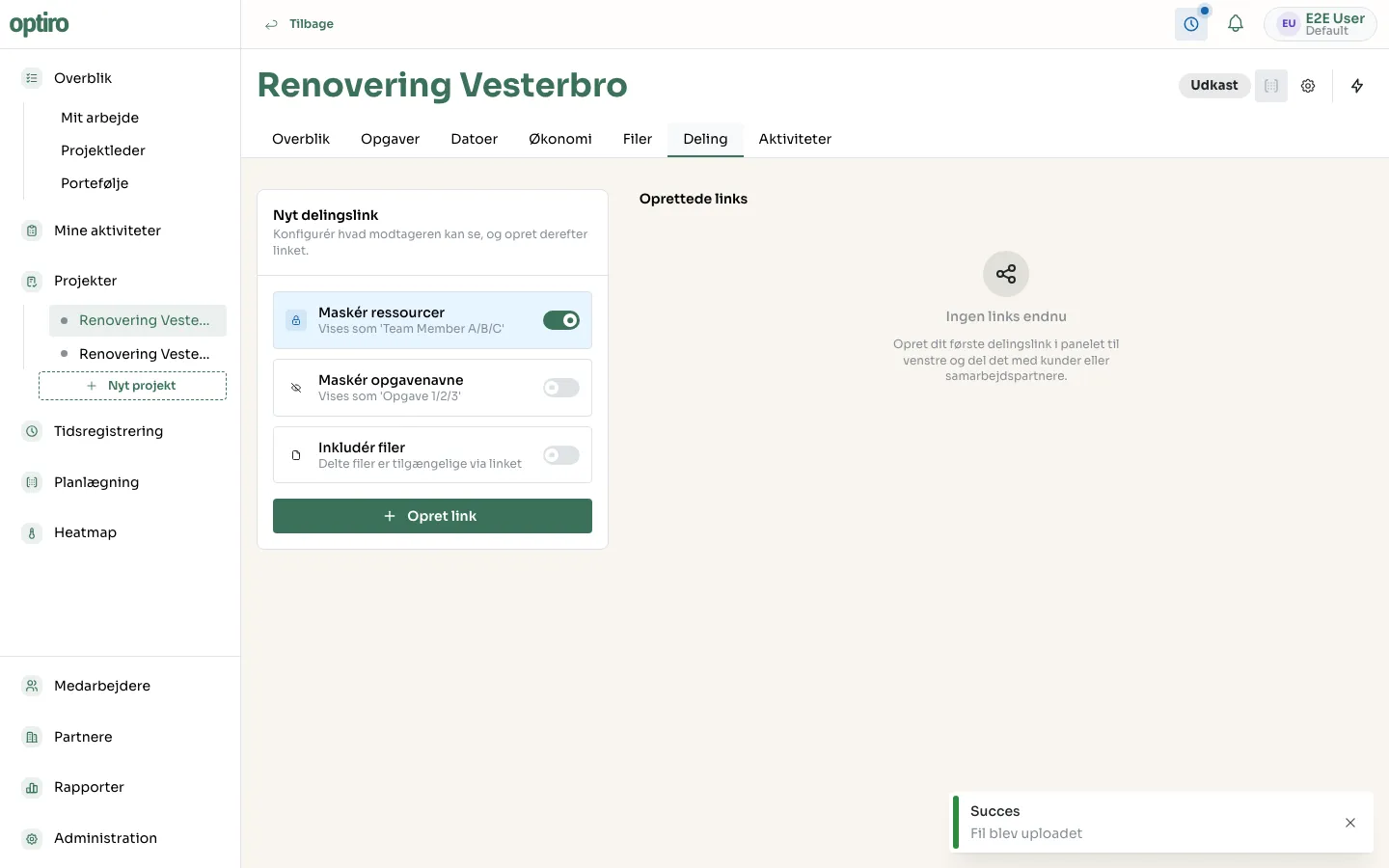
Section titled “1. Configure the link”Open the project and click the Deling tab. Choose what the recipient can see:
- Maskér ressourcer (Mask resources) — shows employees as “Team Member A/B/C” instead of their real names.
- Maskér opgavenavne (Mask task names) — shows tasks as “Task 1/2/3”.
- Inkludér filer (Include files) — makes the project’s shared files available via the link.
2. Create the link
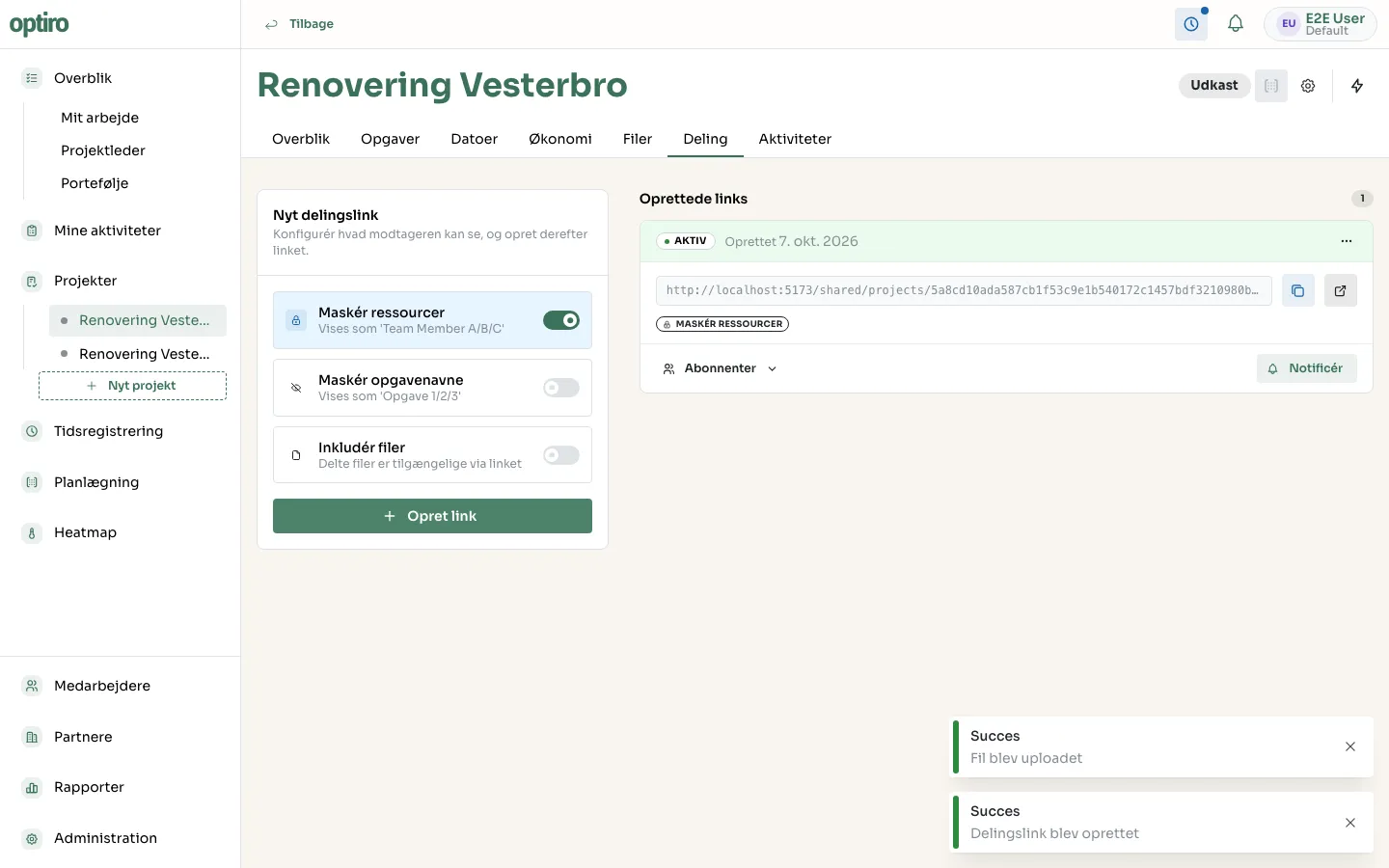
Section titled “2. Create the link”Click Opret link (Create link). The link appears under Oprettede links (Created links) along with its status and the chosen settings.
3. Share the link
Section titled “3. Share the link”Copy the link with the copy icon, or open it directly to see what the recipient will see.
Next steps
Section titled “Next steps”- Upload and share files — include files in a share link.