

Book an interval on a resource
Assigning a resource to a project or task doesn’t by itself block out days in the calendar — a booking (interval) does. An interval is a concrete date range where a resource works on a specific task.
Prerequisites
Section titled “Prerequisites”The resource needs to already be assigned to the task you want to book days on. Expand the project until you can see the resource under the task.
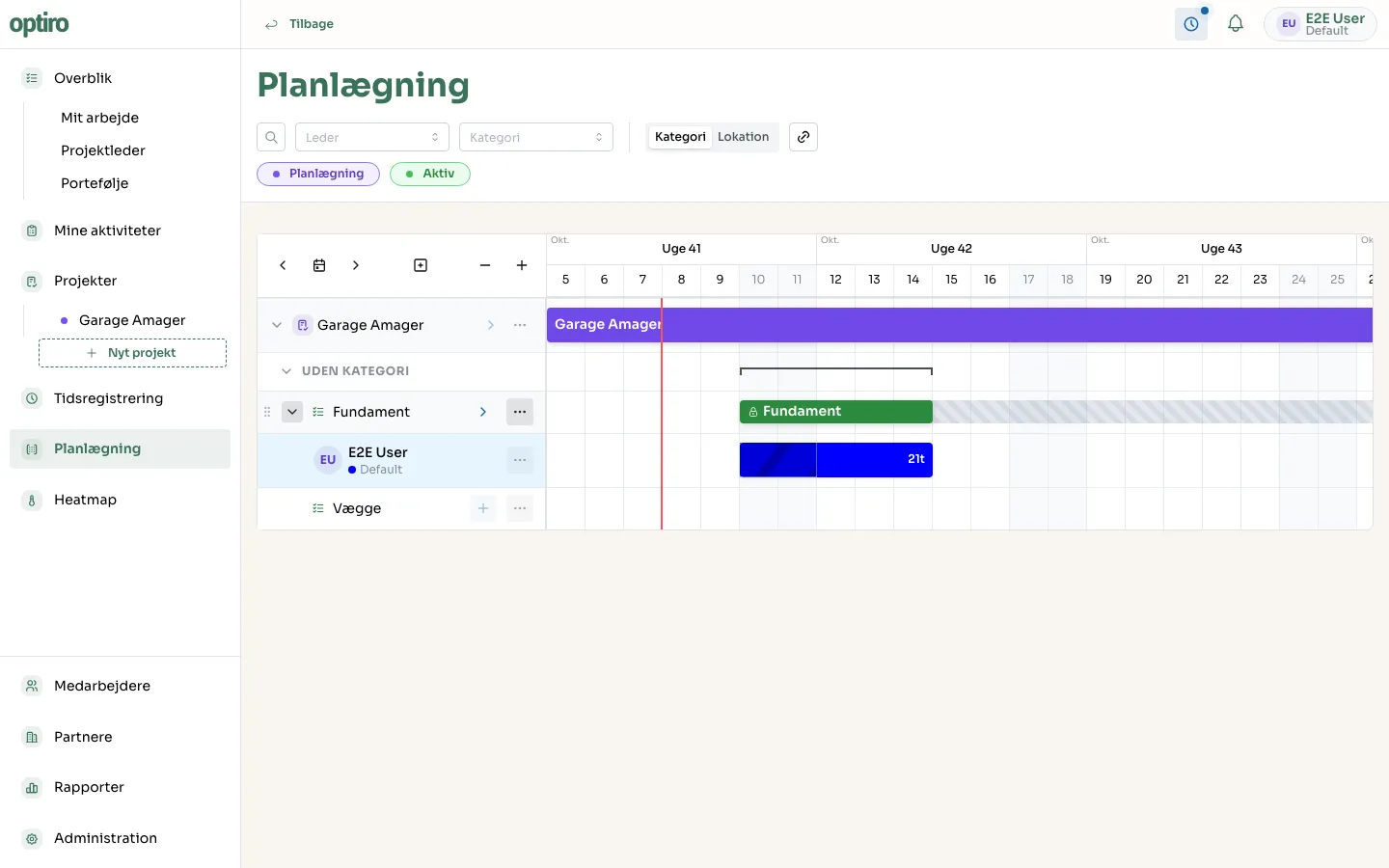
1. Turn on creation mode
Section titled “1. Turn on creation mode”Click the + icon in the toolbar at the top of the Gantt chart (or press N). The button turns blue, and a tooltip shows “Afslut oprettelse — N eller Esc” (Exit creation), so you know it’s active.
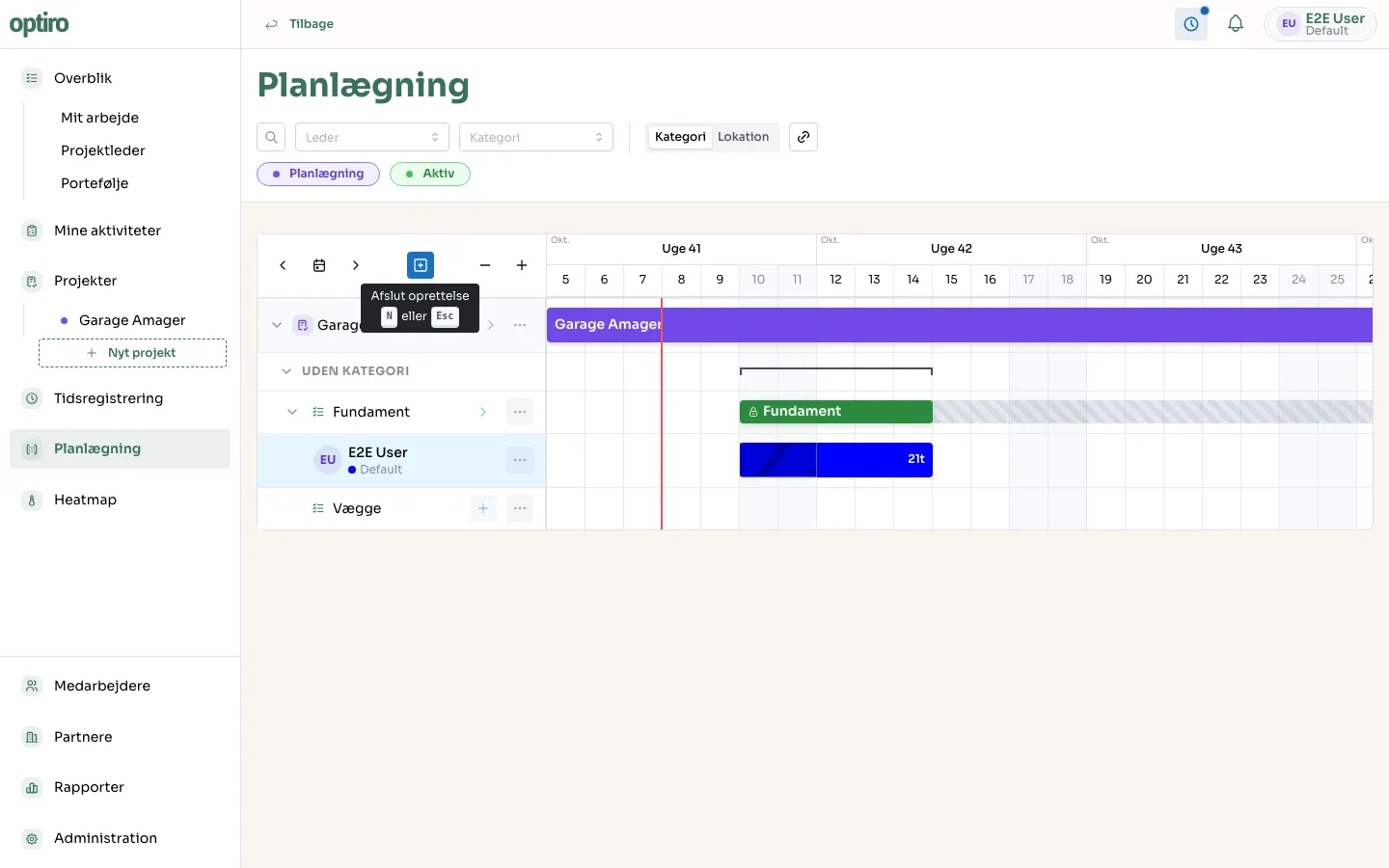
2. Click the start and end day
Section titled “2. Click the start and end day”Click the resource’s row on the day the booking should start. Then click again on the day it should end. The interval is created immediately — no confirmation needed.
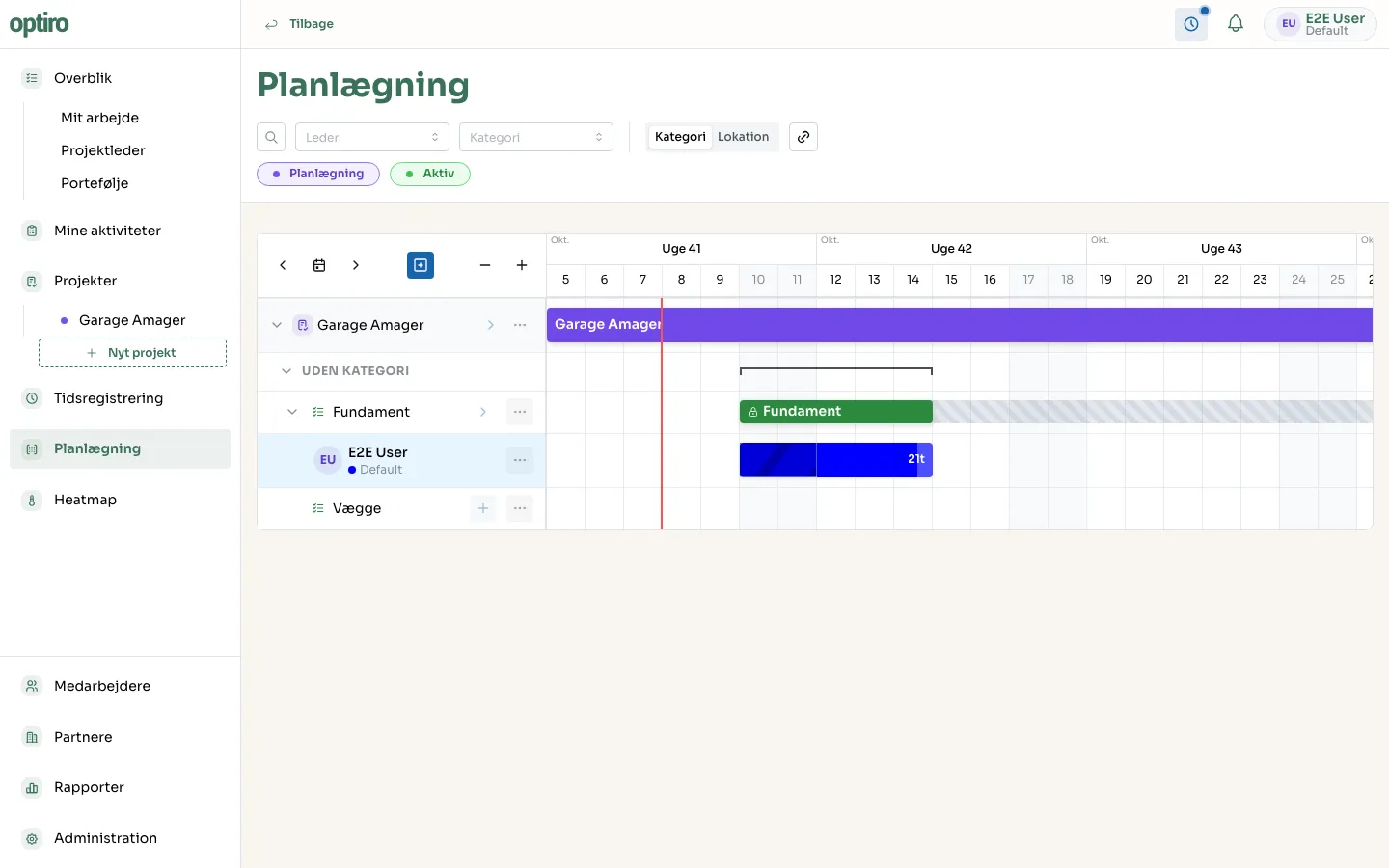
3. Edit or move the interval
Section titled “3. Edit or move the interval”- Move: drag the whole bar to a different spot.
- Extend/shorten: hover over the bar and drag the handle at either end.
- Edit details: click the bar to open Rediger interval (Edit interval), where you can adjust hours/day and add a comment.
Exit creation mode again with the + button, N, or Esc.
Next steps
Section titled “Next steps”- Task dependencies — make tasks wait on each other, so a booking automatically shifts when another task moves.